The Best App to Download from Showroom
Jaksta Media Recorder is the best at downloading from Showroom
Jaksta Media Recorder is the best program to download, record and capture from Showroom.
Jaksta Media Recorder is well known as an all in one Showroom Downloader, Showroom Recorder and Showroom Capture Tool and allows the downloading, recording and capturing of Video, Music and Radio.
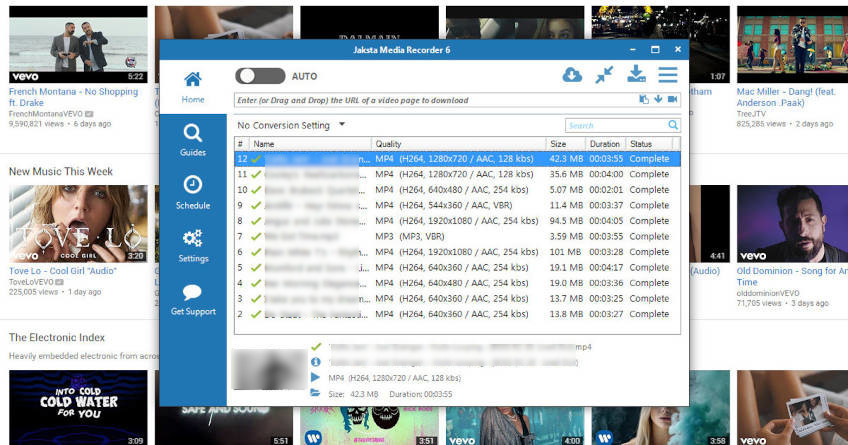
Its easy to use Jaksta Media Recorder to record from Showroom. Simply play Showroom in your browser, and a copy of the Showroom video is downloaded to your PC. You can also just drag and drop (or cut and paste) webpage urls containing videos directly from your browser and Jaksta Media Recorder will extact the video. Its as simple as that!
Here are the basic steps required to download video from Showroom.
- Start Jaksta Media Recorder to download from Showroom;
- Ensure the Stream Downloader Capture Method is selected to download from Showroom;
- Copy the Showroom url of the page hosting the video on Showroom from your browsers address bar;
- Paste the Showroom url into the Jaksta Media Recorder's text box - Enter (or Drag and Drop) the URL of a video page to download;
- Press enter or click the down arrow ;
- The Showroom video will be detected and begin to extract on the Home screen;
- If multiple qualities or formats are available for the Showroom video then these will be displayed in the Multiple Streams Detected popup window. Select the format/quality you want;
- The Showroom video stream will begin to download on the Home screen;
- Once the Showroom video download is complete, double click the download entry to watch it.
Here is an alternative way to download video from Showroom
- In preparation to download from Showroom, Start Jaksta Media Recorder;
- Ensure the Stream Downloader Capture Method is selected to capture Showroom.;
- Start Auto Detection by clicking the AUTO switch to on. This will monitor your network for media from Showroom ;
- Open your browser to Showroom and play the video you want to capture;
- The Showroom video stream playing will be detected and begin to download on the Home screen;
- Once the Showroom video download is complete, double click the Showroom video to watch it.
More detailed steps are available in the How to Download from Showroom Guide
 Showroom may contain videos or music that have a license agreement that prohibits you from recording them.
Do not use Jaksta Products to record copyrighted content or content for which you are prohibited from recording under your license agreement. The information and instructions on this page are generic and have been autogenerated from your search term.
Showroom may contain videos or music that have a license agreement that prohibits you from recording them.
Do not use Jaksta Products to record copyrighted content or content for which you are prohibited from recording under your license agreement. The information and instructions on this page are generic and have been autogenerated from your search term.